
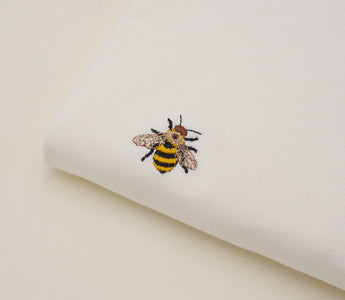
Machine embroidery can make a T-shirt your own. Stretchy jersey needs careful preparation: dense fills, unsuitable stabilizer or stretching the fabric in the hoop can cause puckering and holes. This guide walks through preparation, placement and stitching step by step.
In this guide I'll show you how to embroider a T-shirt with an embroidery machine so it still looks good after many washes. This is about machine embroidery, not hand embroidery: from choosing the right shirt, stabilizer, needle and placement to hooping, stitching and care.
The recipe in short
- Cotton shirt of at least 180 g/m² (about 5.3 oz/yd²), ideally 220 g/m² (6.5 oz/yd²) or more
- Cut-away stabilizer on the inside, never tear-away
- Ballpoint needle 75/11 and 40 weight embroidery thread
- Hoop it taut, but don't stretch the fabric
- Pick a design that isn't too big or too dense
- Stitch a test on an old shirt first

Embroidering on a Mac? With Nuime Designer you prepare your embroidery file for a T-shirt: choose the fabric, check the density, simulate the stitch-out and save it as PES, DST or JEF for your machine. The Free edition is permanently free, including commercial use. Discover Nuime Designer →
In this guide
- Which T-shirt is best for embroidery?
- What you need
- Choosing the right design
- Preparing the embroidery file
- Where should the design go?
- How to embroider a T-shirt, step by step
- Common problems and how to fix them
- Washing and caring for embroidered T-shirts
- Frequently asked questions
Which T-shirt is best for embroidery?
The shirt matters more than most people think. T-shirts are made of knit jersey, and jersey stretches in every direction. That's what makes them comfortable, and it's also what makes them tricky to embroider, because every stitch pulls on the fabric a little.
- Weight: Choose a shirt of at least 180 g/m², ideally 220 g/m² or heavier. Thin shirts pucker more easily, and the stabilizer shows through.
- Fiber: Cotton or organic cotton is the easiest to embroider. Poly blends work too. Shirts with a lot of spandex are hard.
- Texture: Smooth, tightly knit jersey is ideal. Very loose or textured knits swallow fine stitches.
- Color: A white stabilizer can show through light shirts, and a light one through dark shirts. There's black cut-away for dark tees.
This is how the designs look on my natural white cotton shirts:
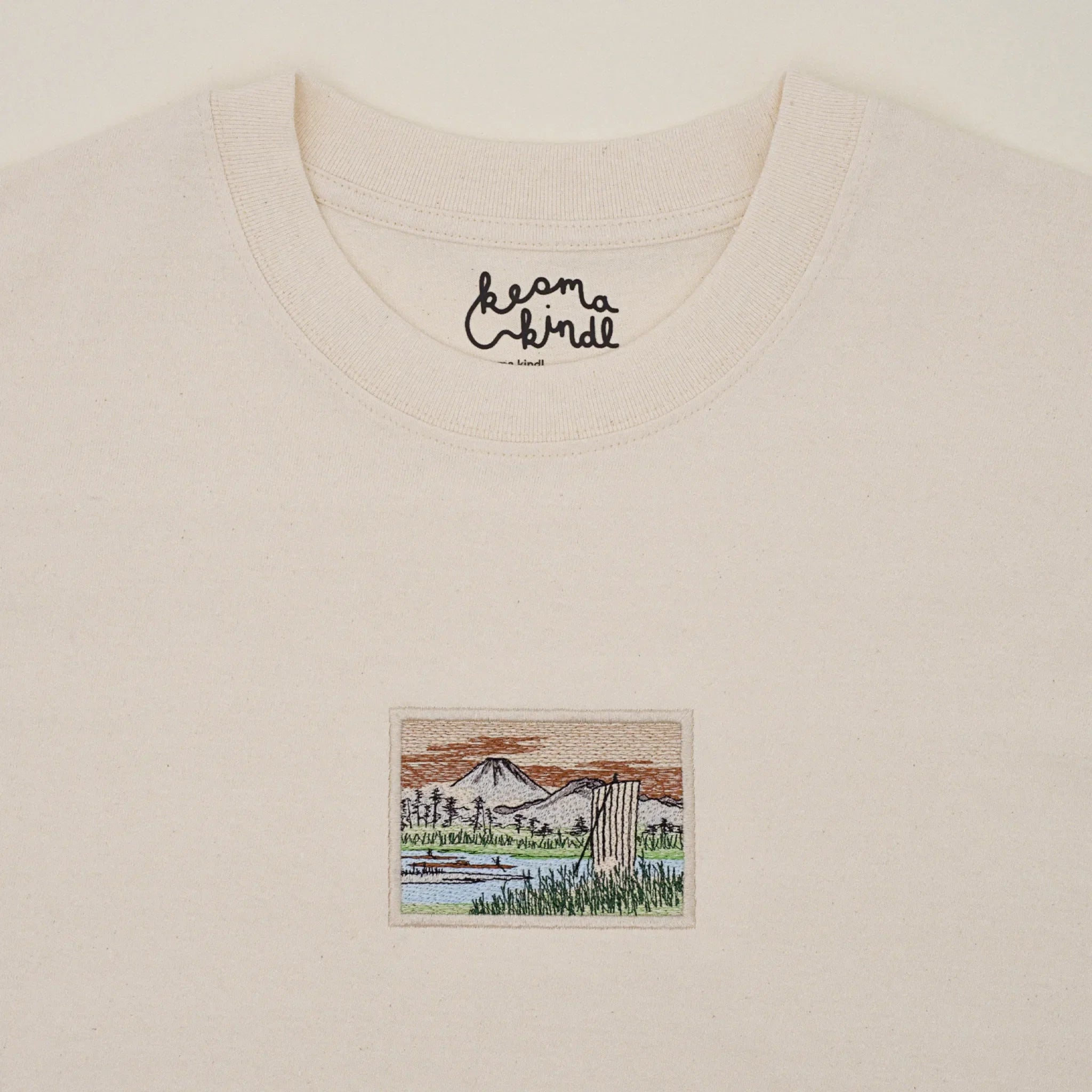
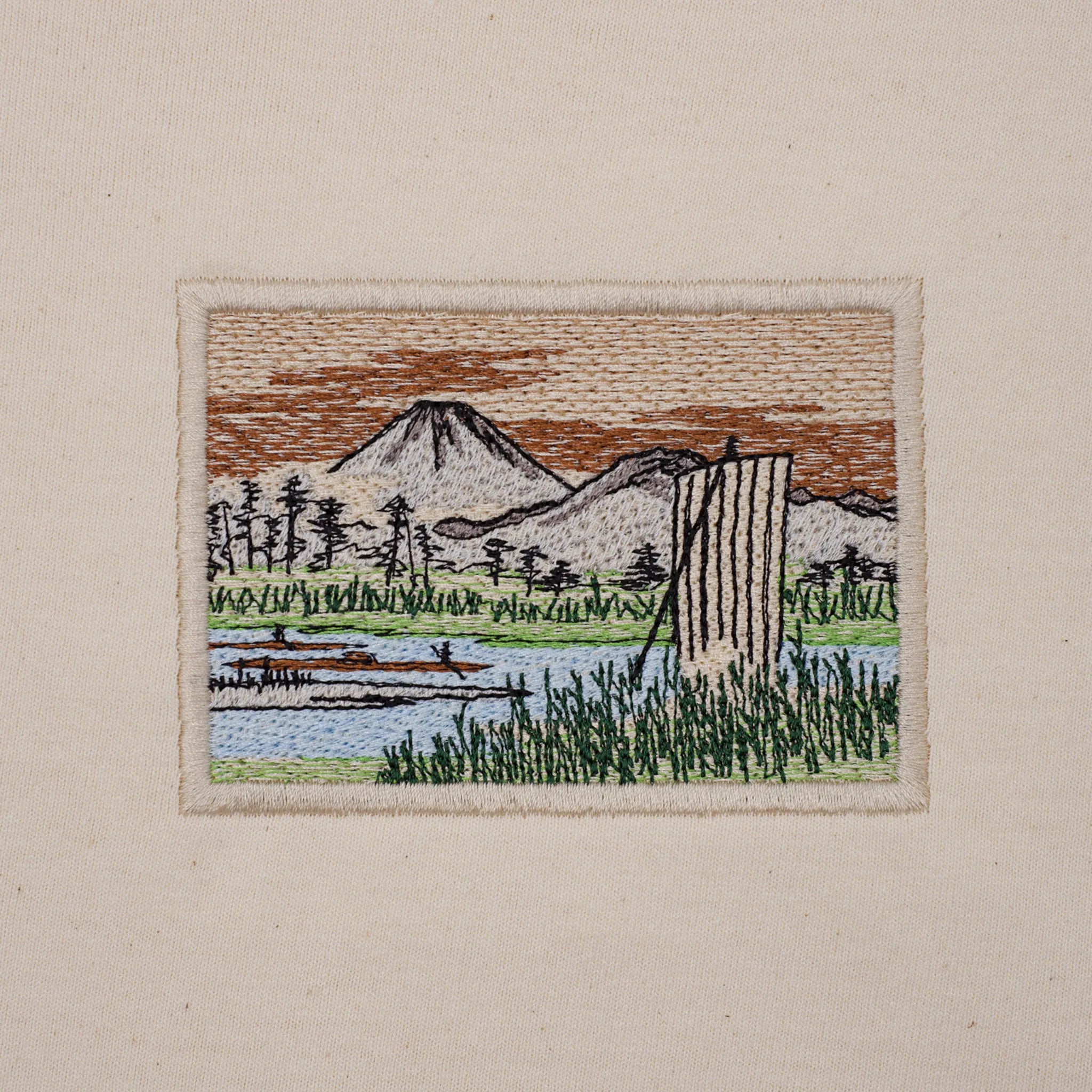
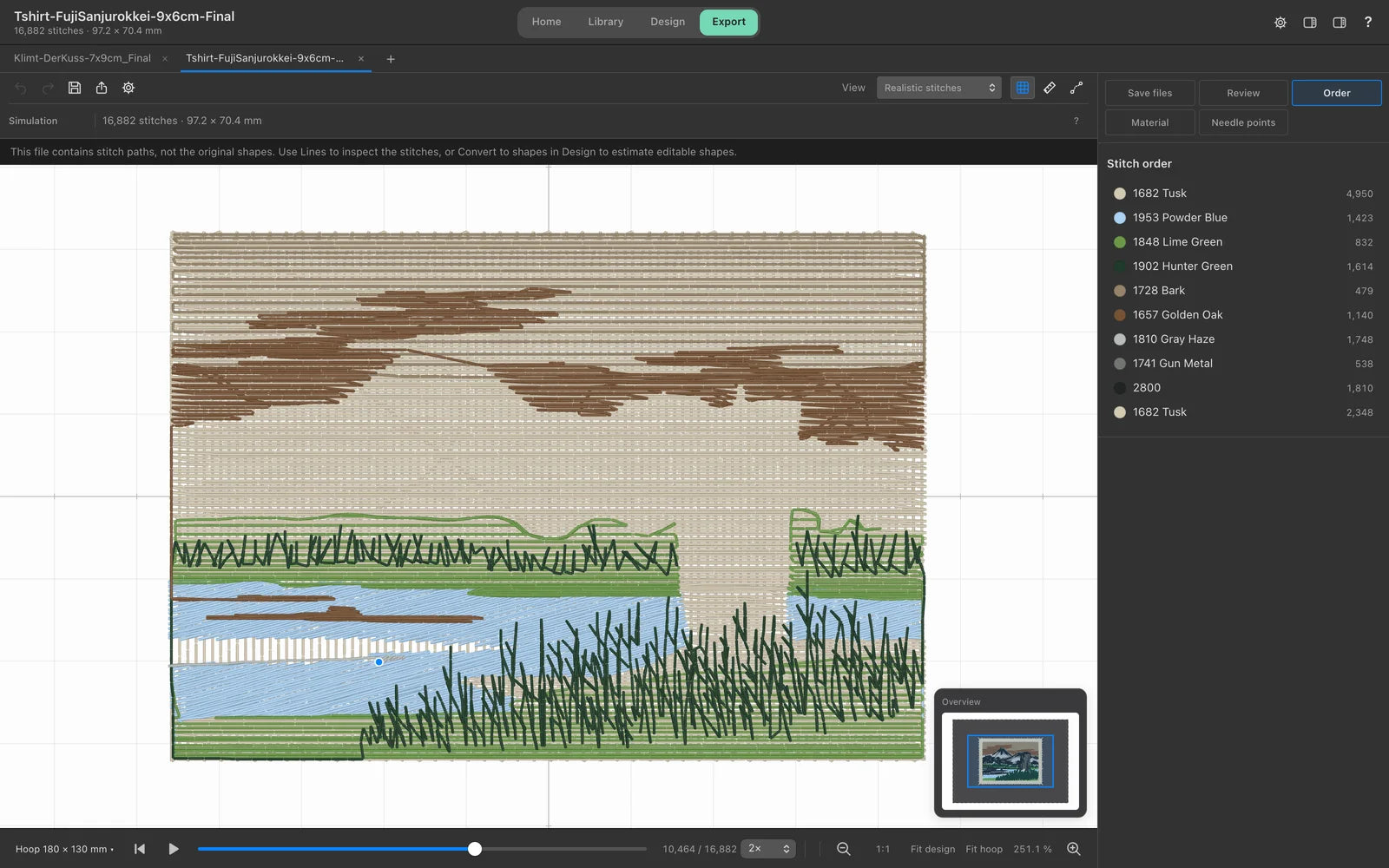
My Fuji shirt: about 9 × 6 cm (3.5 × 2.4 in), almost 17,000 stitches, centered on the chest.
What you need
- An embroidery machine and the right hoop. A single-needle home machine is all you need to start. Always use the smallest hoop your design fits in, so the fabric stays steadier.
- Cut-away stabilizer: the most important supply of all. It stays behind the design after stitching and supports the stitches every time the shirt is worn and washed. For light, thin shirts there's soft, nearly invisible no-show mesh.
- Temporary spray adhesive for embroidery, so the shirt and stabilizer don't shift while hooping.
- Ballpoint needle 75/11: it pushes the knit loops aside instead of piercing them. A sharp needle easily leaves small holes in jersey.
- 40 weight embroidery thread: polyester is colorfast and handles warmer washes, rayon has a lovelier sheen but is more delicate.
- Bobbin thread: dedicated embroidery bobbin thread, usually in white or black.
- Optional water-soluble topping: it goes on top of the fabric so fine stitches don't sink into the knit. On smooth jersey you usually don't need it.
- For marking and trimming: a ruler, a washable marking pen or chalk, and curved embroidery scissors.
- Optional soft fusible backing: it covers the back of the embroidery so nothing scratches your skin.
You'll find more about stabilizers, needles and thread for every fabric in Machine Embroidery for Beginners: Getting Started Step by Step.
Choosing the right design
Not every embroidery file that looks great on a tea towel works on a T-shirt. Three things make the difference.
Size: Smaller designs are much easier on jersey. A design 7 to 10 cm (3 to 4 in) wide looks good on the chest and stays soft. Big back designs are possible, but they take experience and a large piece of cut-away.
Density: Large, very dense fills make the shirt stiff as a patch in that spot, and the fabric around it puckers more easily. That doesn't mean dense designs are off limits. My shirts carry small, filled pictures with a border. But the denser the design, the more important good cut-away, proper underlay and careful hooping become.
Fine details: Very fine lines and tiny lettering can disappear into the knit. Choose slightly bolder lines or stitch with water-soluble topping.
If you'd like to digitize your own design, How to Create an Embroidery File from an Image explains how to prepare an image properly.
Preparing the embroidery file
Before the shirt goes into the hoop, it's worth taking a close look at the embroidery file. I do this in Nuime Designer, the Mac embroidery software I develop myself. The steps work much the same in any good embroidery software.
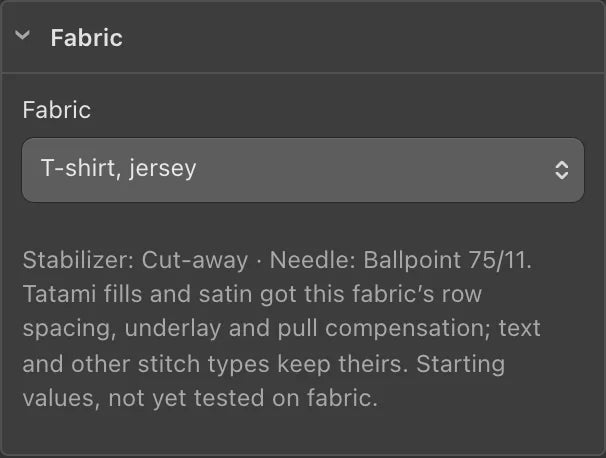
Choose the fabric: For your own designs, you tell Nuime Designer that you're stitching on a T-shirt. All fills and satin areas then get matching row spacing, underlay and pull compensation, and you see a stabilizer and needle recommendation. These are starting values. They don't replace a test stitch-out, but their suitability needs to be tested with your materials.
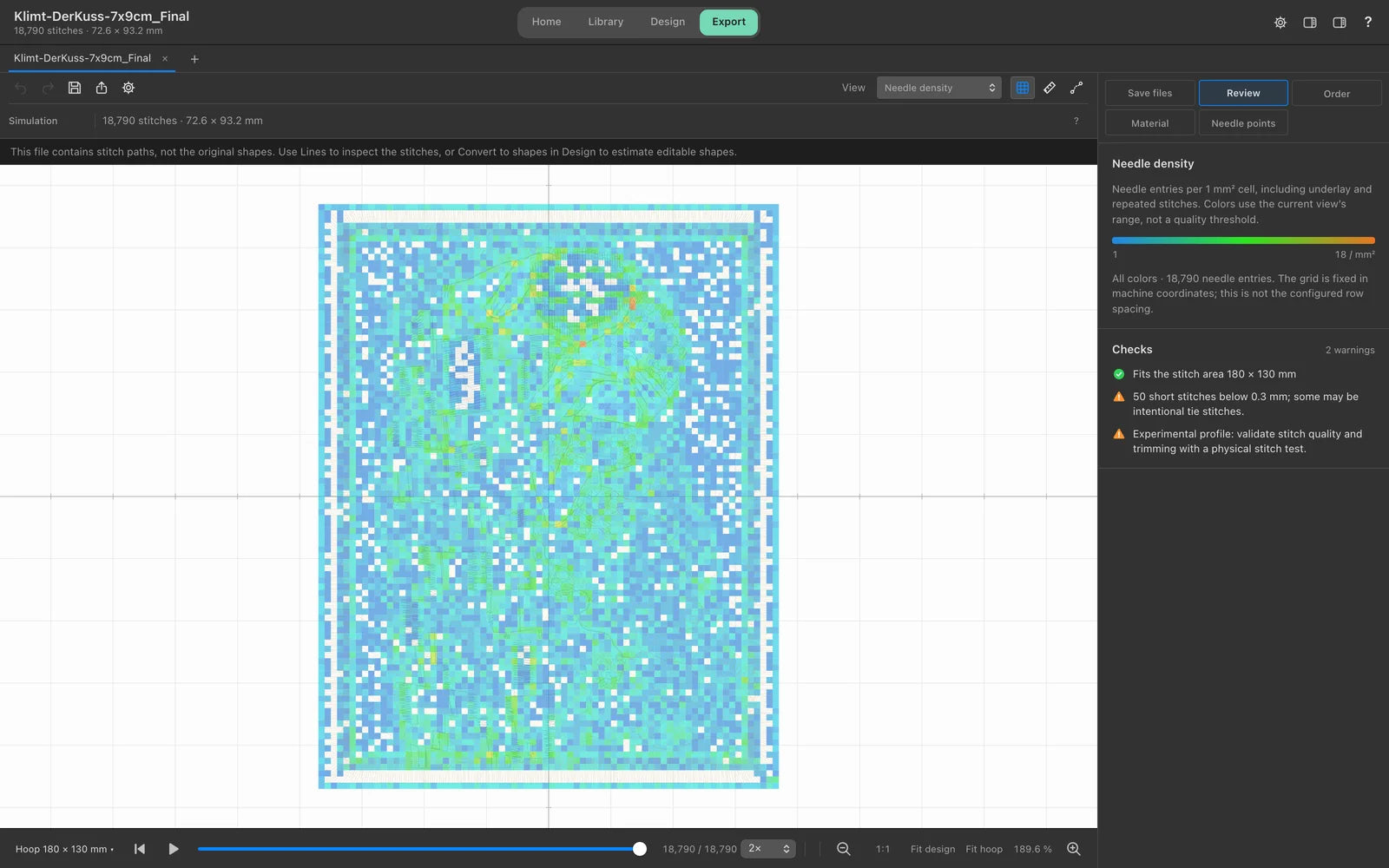
Check the density: With a finished embroidery file you can't simply recalculate the stitches, but you can see where the design is especially dense. The "Needle density" view colors every spot by the number of needle entries. Red and orange spots are where the needle hits the same millimeter over and over, and that's exactly where holes are most likely in jersey.
Watch the stitch-out: The simulation shows you, stitch by stitch, in which order the machine works. You can see whether the fills come before the outlines and where the machine jumps and trims.
Save it and print a template: Finally, save the file in your machine's format, PES for Brother for example, and copy it to your USB stick. The production sheet Nuime Designer saves as a PDF includes a 1:1 template. Later you lay it on the shirt to check the position.
Your T-shirt embroidery file, ready to stitch.
Nuime Designer Free costs nothing, needs no account and has no export limit. Go to Nuime Designer →
Where should the design go?
A crooked design, or one that sits too low, is the most common reason an embroidered shirt looks homemade. These measurements are good starting points for adult shirts:
- Center chest: the top edge of the design sits about 7 to 10 cm (3 to 4 in) below the neckline, right on the center line. This is the position I chose for my own shirts.
- Left chest: the center of the design sits about 18 to 23 cm (7 to 9 in) below the point where the shoulder seam meets the collar, roughly halfway between the center of the shirt and the sleeve seam. Designs here are usually 7 to 10 cm (3 to 4 in) wide.
- Back of the neck or sleeve: small designs, lettering or logos. Sleeves are hard to hoop, so start with the chest.
My tip: lay the 1:1 template on the shirt, put the shirt on, or place it next to a favorite printed shirt. You'll see right away whether the position works. Depending on size and cut, the design may need to move up or down a few centimeters.
How to embroider a T-shirt, step by step
1. Prepare the shirt
Prewash the shirt once so it doesn't shrink after embroidering and the design stays flat. Then iron it so there are no creases in the stitching area.
2. Mark the position
Fold the shirt in half lengthwise and lightly press the fold. That's your center line. Measure the height from there and draw a small cross for the center of the design with a washable pen. The lines of the cross must follow the ribs of the jersey, or the design will end up crooked.
3. Attach the stabilizer
Cut the cut-away a few centimeters larger than the hoop on every side. Spray it lightly with adhesive and smooth it onto the inside of the shirt behind the stitching area.
4. Hoop the shirt
This is the most important step. Slide the outer ring up inside the shirt so that only the front layer with the stabilizer lies over it. Line up the cross with the marks on the hoop template and press the inner ring in from the top. The fabric should be taut like a drum, but not stretched. Don't tug at the fabric once it's hooped, or you'll distort the knit and the design will pucker later.
With very stretchy shirts you can hoop only the stabilizer and stick the shirt on top. This is called floating, and it avoids hoop marks.
5. Set up the machine
Insert a fresh ballpoint 75/11 needle, thread the machine and load the file from your USB stick. Check on the screen that the design is the right way up and centered. Many machines can trace the outline of the design so you can see whether it fits the hoop.
6. Stitch
Before you start, roll up the rest of the shirt and clip it to the hoop so neither the back nor the sleeves get caught under the needle. Stay with the machine for the first few minutes. That's when the underlay goes down, and if anything shifts, you'll notice it now. At every color change, check briefly that everything is still flat.
7. Finish
Take off the hoop, trim the jump threads closely on both sides and cut back the stabilizer on the inside around the design. Leave about 5 mm (3/16 in) and round off the corners so nothing presses through. If you like, iron a soft fusible backing over the back. Remove marker lines with a little water and press the shirt from the inside with a cloth in between.
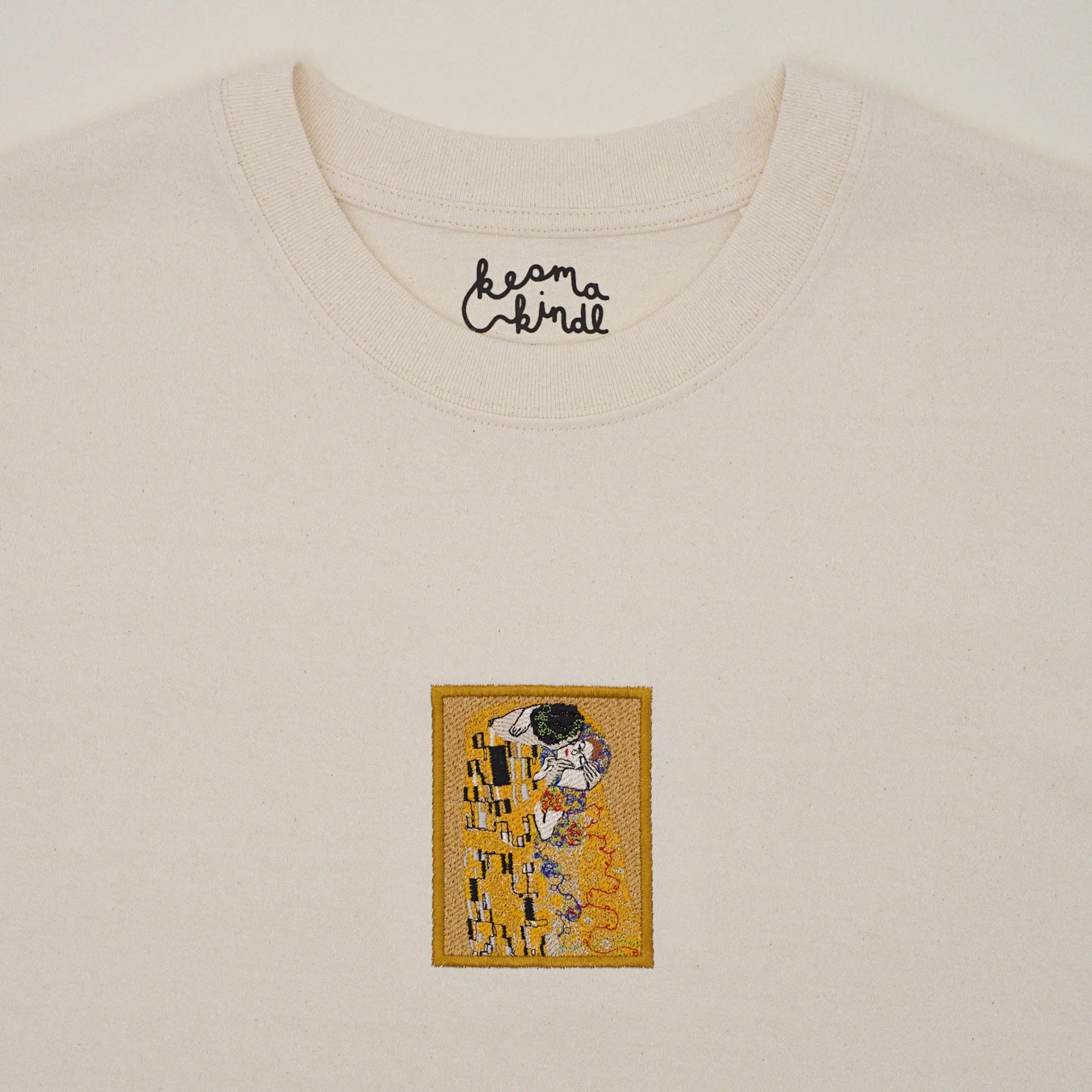
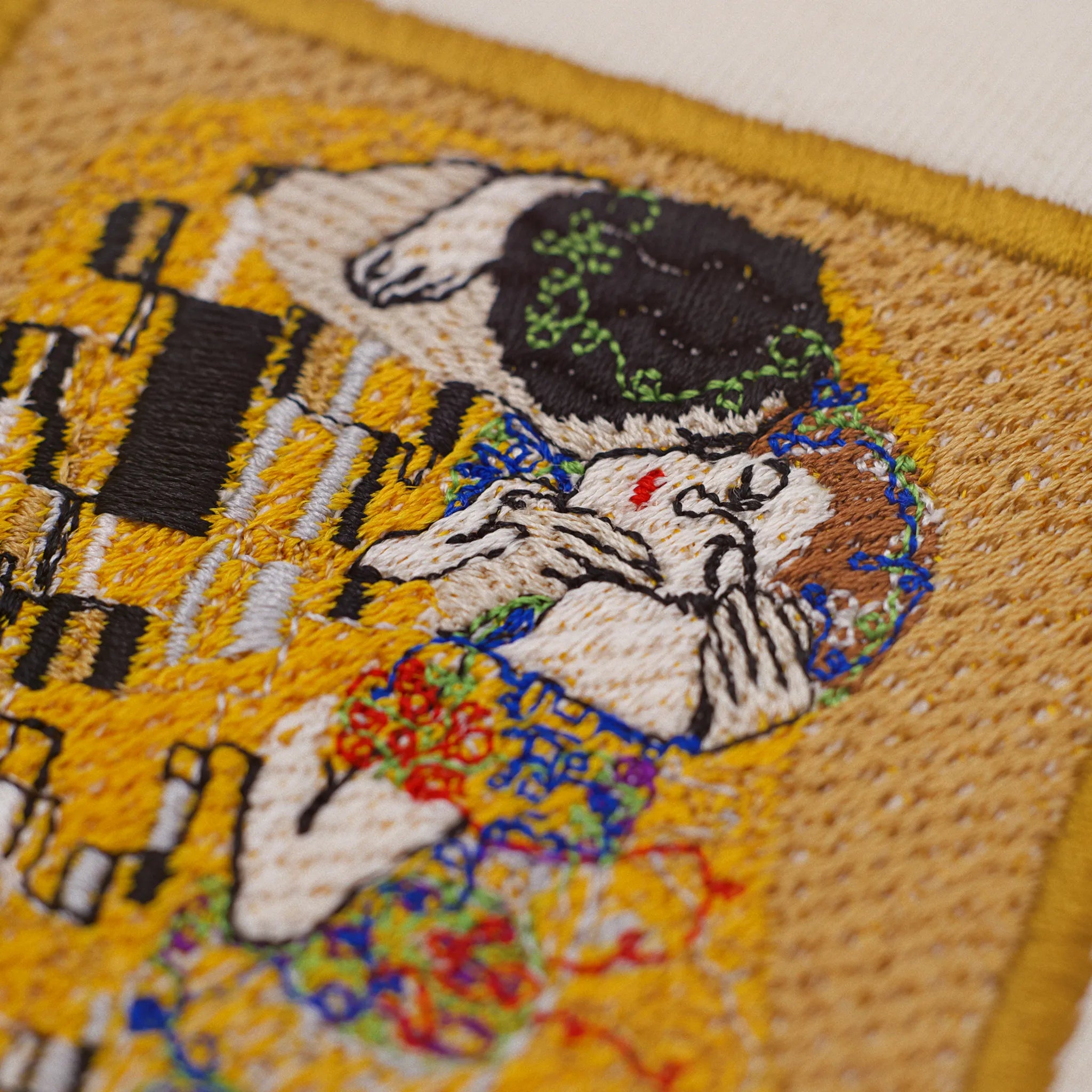
My Klimt shirt: 7 × 9 cm (2.8 × 3.7 in), with an embroidered border around the picture.
Common problems and how to fix them
The fabric puckers around the design. Usually the fabric was stretched while hooping, or the stabilizer was too light. Use cut-away instead of tear-away, hoop taut without pulling, and choose a smaller hoop when in doubt. For your own designs, underlay and pull compensation help too.
Small holes in the jersey. The needle is too sharp, too thick or dull, or the design is too dense in places. Use a ballpoint 75/11, change it regularly and check dense areas in your software beforehand.
Gaps between outline and fill. The fabric drew in while stitching. Hoop more firmly, use a sturdier stabilizer, and increase pull compensation in your own designs.
Hoop marks. A shiny ring around the design comes from the hoop. It usually disappears with steam or after the first wash. Floating helps next time.
The back is scratchy. Trim the stabilizer with rounded corners and iron on a soft fusible backing.
The design is crooked. The marking didn't follow the ribs of the jersey, or the shirt shifted while hooping. Spray adhesive helps, and let the machine trace the outline before you start.
Washing and caring for embroidered T-shirts
With a few simple rules, the embroidery still looks new after many washes:
- Wash inside out at 30 °C (86 °F) at most, with a mild detergent and no bleach.
- Don't wring or rub hard.
- Air dry if you can.
- Iron from the inside with a cloth between the iron and the embroidery, never directly on the stitches.
Why it's worth the effort, and how embroidery holds up compared with print, is in Embroidery or Print?
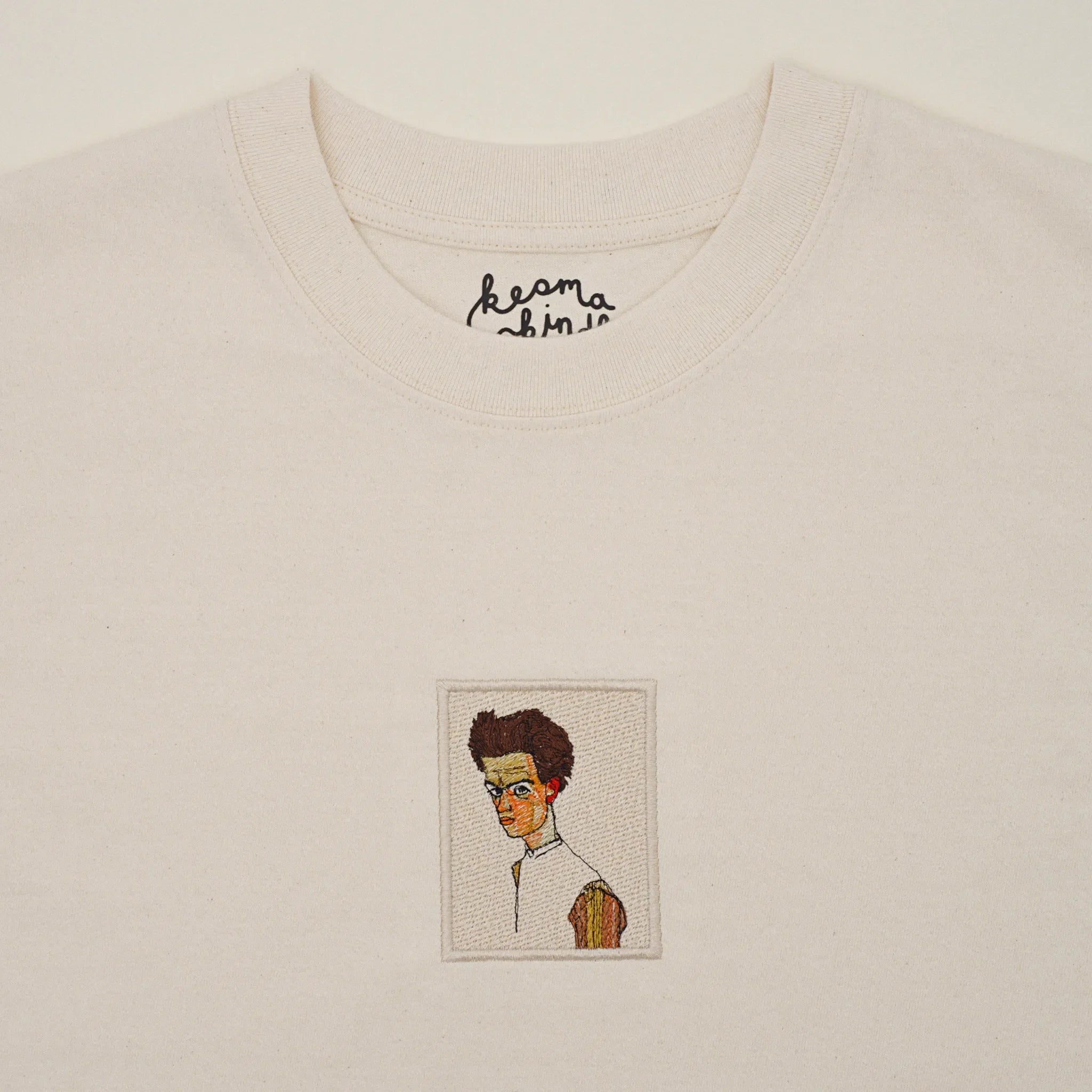
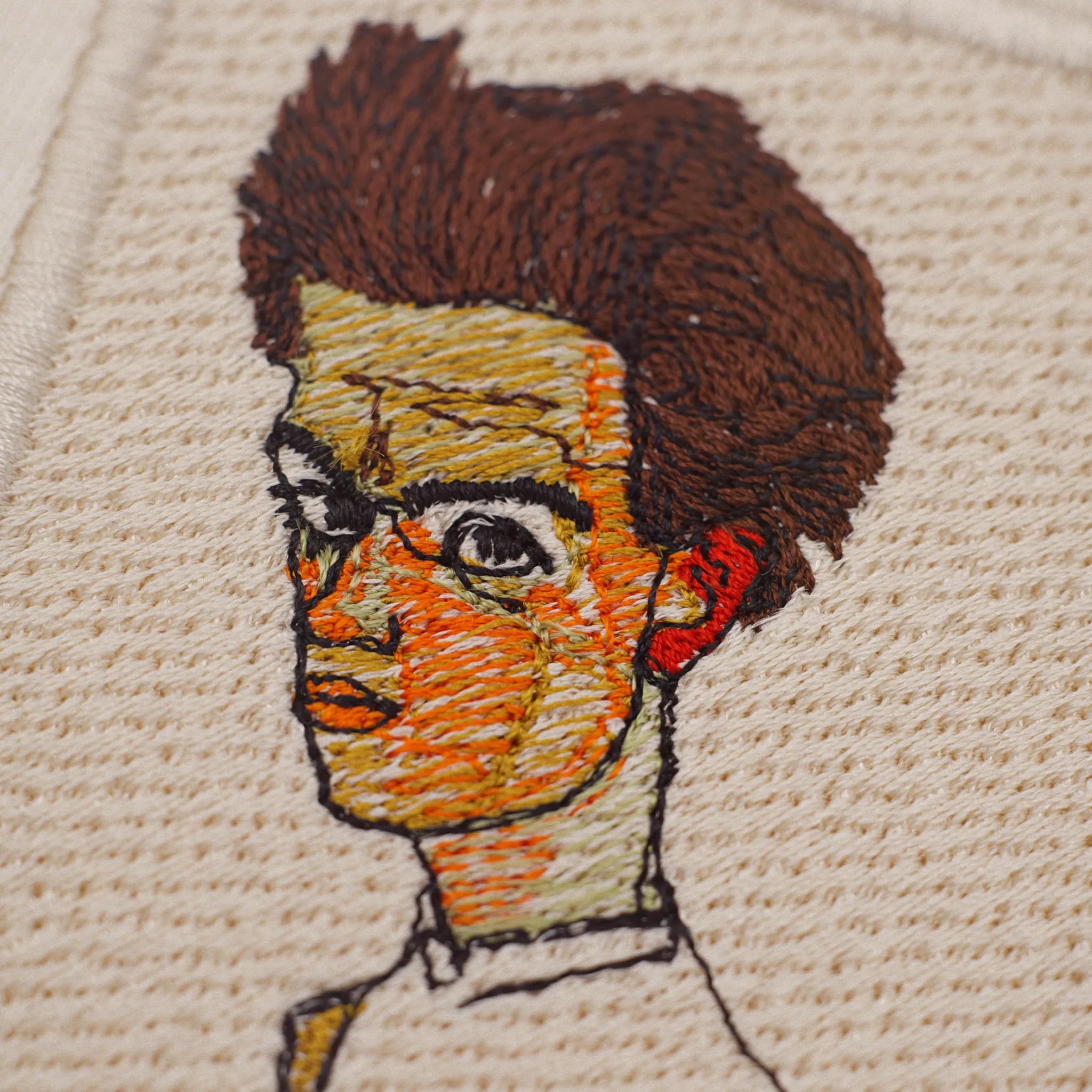
My Schiele shirt. The close-up shows how finely the stitches sit in the face.
Frequently asked questions
What stabilizer do I need for a T-shirt?
Cut-away. It stays behind the embroidery and supports it for good. Tear-away breaks down bit by bit with wear and washing, and then the stitches distort. For light, thin shirts, soft no-show mesh works well.
Which needle should I use for jersey?
A ballpoint needle in size 75/11. It slides between the knit loops without damaging the jersey. Change it regularly, because a dull needle makes holes.
How long does it take to embroider a T-shirt?
That depends on the stitch count and your machine. My Fuji design has almost 17,000 stitches, and according to Nuime Designer my Brother needs about 24 minutes for it. Add preparation, hooping and color changes. A small logo is done in a few minutes.
Can I embroider any T-shirt?
Almost any. Cotton shirts of 180 g/m² and up are the easiest. Very thin, very stretchy or spandex-heavy shirts work too, but they take more experience, lighter designs and good stabilizer.
How big can the design be on a T-shirt?
For the chest, 7 to 10 cm (3 to 4 in) wide is a good range. Bigger designs are possible but get stiffer and heavier. Your hoop also sets the limit.
Can I just enlarge a finished embroidery file for a T-shirt?
Only a little. If a file is scaled up or down a lot, the density and stitch lengths no longer fit. Nuime Designer can only estimate shapes from imported machine stitches. This does not restore original satin objects, fill parameters or lettering data. Review the resulting stitch plan and test it on fabric. For big changes, a newly digitized file is still the better choice.
Do I need special software to embroider a T-shirt?
Not necessarily. Many embroidery machines open finished files straight from a USB stick. But software helps you check designs, adjust them and create your own. I've rounded up the options for Mac in Embroidery Digitizing Software for Mac.
One last thing
Your first embroidered T-shirt doesn't have to be perfect. Grab an old shirt from your closet, stitch a small design on it and take a good look at the back. After that you'll know how your fabric, stabilizer and machine work together, and your second shirt will already be much better.
And if you'd like to prepare your embroidery files on a Mac, you'll find everything about Nuime Designer on the Nuime Designer page. Happy stitching!




![Personalisiertes Unisex-T-Shirt mit gesticktem japanischen Wunschtext, erhältlich in 7 Farben, Classic und Oversized Fit [MOT]](http://keomakindl.com/cdn/shop/files/custom-tshirt-embroidery-your-text-japanese-colors.webp?crop=center&height=350&v=1776698323&width=298)
![Personalisiertes T-Shirt in Weiß mit japanischem gesticktem Text – Detailaufnahme der Stickerei [MOT]](http://keomakindl.com/cdn/shop/files/tshirt-overview-personalized-custom-japanese-text-detail.webp?crop=center&height=350&v=1776698323&width=298)


![Personalisiertes Unisex-T-Shirt mit gesticktem Wunschtext, erhältlich in 7 Farben, Classic und Oversized Fit [MOT]](http://keomakindl.com/cdn/shop/files/custom-tshirt-embroidery-your-text-colors.webp?crop=center&height=350&v=1776698282&width=298)
![Personalisiertes weißes T-Shirt mit deinem bestickten Text – Detailaufnahme der Stickerei [MOT]](http://keomakindl.com/cdn/shop/files/custom-tshirt-embroidery-your-text-detail.webp?crop=center&height=350&v=1776698282&width=298)


